
Upgrading a mission-critical platform like Open edX® often triggers a collective intake of breath across IT and EdTech teams. The platform’s open-source architecture delivers unmatched freedom, control, and scalability, but moving between named community releases (like moving from older versions up to Sumac, Teak, or beyond) can feel daunting.
When done incorrectly, upgrades can risk unexpected downtime, broken custom plugins, or lost data. But when planned strategically, upgrading doesn’t have to be a high-stress event. It can—and should—be a smooth, predictable evolution that keeps your learning ecosystem secure, performant, and equipped with the latest features like improved Micro-Frontends (MFEs) and advanced analytics via Open edX Aspects.
Here is our strategic playbook for executing an Open edX upgrade with minimal trauma and maximum peace of mind.
1. Treat Upgrades as Strategy, Not an Operational Emergency
The easiest way to make an upgrade painful is to wait until an urgent technical trigger forces your hand—such as an out-of-date core dependency, a security vulnerability, or an end-of-life release.
Instead, treat version upgrades as a predictable yearly heartbeat. Upgrading incrementally on a routine schedule—such as adopting annual community releases—ensures the gap between your current codebase and the target release remains small. Small gaps mean fewer breaking changes, simpler database migrations, and significantly lower operational risk.
2. Isolate Customizations: Protect Your Core
Customizations are usually the culprit when an upgrade turns chaotic. If your team modified core Open edX code directly in the past, every upgrade will require complex code reconciliation.
To make future updates seamless:
- Decouple custom logic: Rely on modern Open edX extension mechanisms, such as custom XBlocks, event hooks, or external API integrations, rather than hacking core repositories.
- Standardize theming: Utilize composable theming and modern branding architectures that separate visual design layers from backend software logic.
- Audit before migrating: Prior to upgrading, review your active third-party extensions and plugins. Sunset unused tools and verify whether community-supported XBlocks have compatible releases for your target Open edX version.
3. Embrace Modern Orchestration Tools (Tutor & Kubernetes)
The Open edX community has unified around Tutor as the standard deployment and management tool, backed by Kubernetes orchestration for production environments.
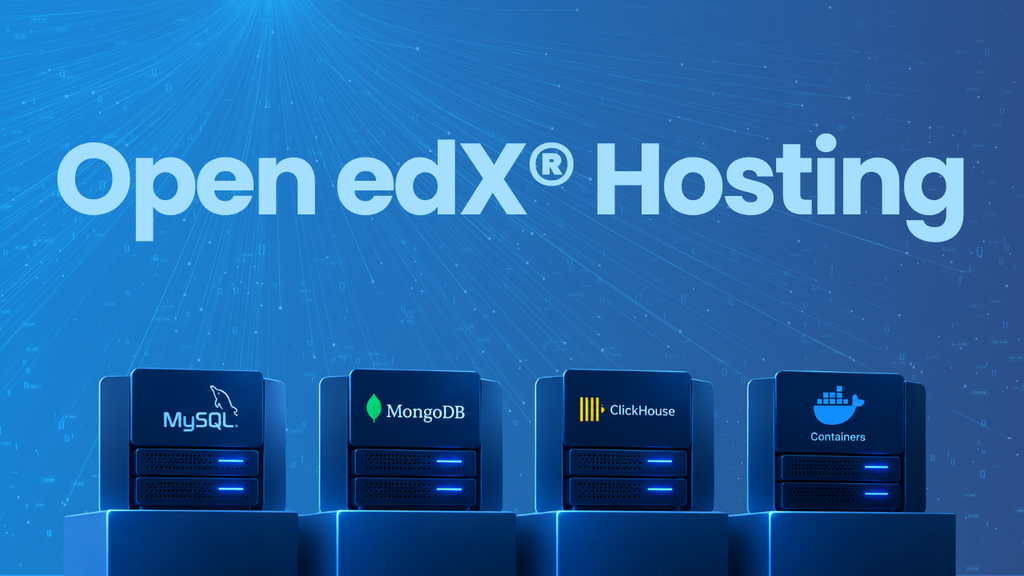
If your platform is still running on legacy native installations, transitioning to containerized orchestration via Tutor should be step zero. Standardizing your deployment pipeline around Tutor and Kubernetes ensures that database migrations (MySQL, MongoDB, ClickHouse) and container builds run through automated, repeatable CI/CD pipelines. This eliminates manual server configuration errors and guarantees environment parity between staging and production.
4. Never Skip the Independent Staging Environment
Never test an upgrade directly on production or rely solely on local developer environments.
The safest upgrade strategy relies on a dedicated, isolated staging environment in a separate namespace.
- Clone real data: Populate your staging environment with anonymized production data to test actual database schema migrations under realistic conditions.
- Validate integrations: Test single sign-on (SSO/SAML/OIDC), payment gateways, LTI tools, and custom data pipelines.
- Conduct user acceptance testing (UAT): Allow course creators and administrators to test Studio and LMS workflows to ensure branding, navigation, and learner analytics render correctly.
Once your staging environment passes every milestone, your live migration becomes a low-risk cutover rather than a step into the unknown.
5. Plan for Data Integrity and Clear Rollbacks
Even with rigorous testing, every enterprise cutover requires safety nets.
Before triggering the final upgrade on your production cluster:
- Take full, isolated backups of your MySQL databases, MongoDB instances, and media upload assets (such as Amazon S3 buckets).
- Verify your Recovery Time Objective (RTO) and Recovery Point Objective (RPO) so your operations team knows exactly how long a restore would take if an unexpected issue arises.
- Set a strict “point of no return” timeline during your maintenance window to evaluate platform health before opening the doors back to learners.
Partnering for a Zero-Downtime Future
Updating Open edX doesn’t have to strain your internal IT resources or disrupt ongoing academic calendars. Whether you need an enterprise-grade hosting foundation where annual version upgrades and infrastructure maintenance are handled for you, or targeted engineering support for a complex migration, edunext is built to keep your platform moving forward seamlessly.
- Edunext Hosting: Built on a Kubernetes architecture with automated CI/CD pipelines, high-availability databases (MySQL, MongoDB, ClickHouse), and continuous security patching, our cloud hosting solutions include coordinated yearly Open edX release upgrades as a core service. You get a reliable, scalable, and fully managed environment backed by SLAs—so your team can focus on learners, not infrastructure management.
- edg·on™ Consulting: For organizations operating custom or independent installations, our specialized consulting team provides end-to-end upgrade services, structured diagnostic reports, custom data migrations, and extension auditing. As recognized Open edX core contributors, we execute complex cutovers with precision and minimal operational risk.
Together, our hosting and consulting ecosystem supports over 2,000,000 learners globally across universities, governments, NGOs, and corporations.
Unsure what your next Open edX upgrade actually entails?
Upgrading shouldn’t feel like a leap into the unknown. Get full visibility into your platform’s health before making a move. Request a Free Personalized Open edX Instance Analysis, and our team will deliver a custom executive report mapping your current technical risks, optimization opportunities, and a step-by-step upgrade strategy tailored to your architecture.